

1. Add your listings
Paste one, or import your catalog from a Seller Center export. That’s your part.
For U.S. TikTok Shop beauty & personal-care brands
Running a shop is already a lot. Paste your listing once and we’ll show you exactly what to change, then keep rechecking it every time TikTok changes the rules. We only email you when something needs you.
Paste a title and description and see what TikTok might flag, in seconds. No sign-up. Want to save products and get alerts? Try one listing free in the app. No card needed. Prefer a person? Request a free listing review by email.
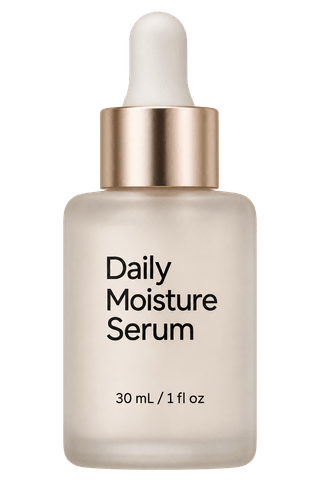
A daily facial moisturizer with a claim.
Select the highlighted phrase to see its review.
A daily facial moisturizer with .
Your study measures hydration for 8 hours. Find support for the 24-hour claim, or change it.
Duration claims like this need evidence that matches what’s advertised.
TikTok Shop Product Listing Policy ↗Example decision saved: remove the 24-hour claim until the evidence supports it. Nothing in a real workspace was changed.
When a relevant policy changes, an alert connects the update to wording in your saved product: “24-hour hydration”.
The relevant policy passage and official source, the affected wording, and what to review.
TikTok’s published and effective dates are shown when TikTok supplies them.
No shop connection or TikTok password needed. You choose what we check.
Paste one, or import your catalog from a Seller Center export. That’s your part.
The exact words to change, with a rewrite ready to paste.
When a TikTok policy page we watch changes, we check your saved products against it automatically.
We email only when something needs you.
TikTok rejected more than 70 million product listings in the first half of 2025. The words that sell beauty products (durations, “clinically tested,” measurable results) are the ones most likely to need support under its listing policy, so it pays to check before a listing goes live.
Medical, testing, duration and measured-result claims.
Restricted ingredients such as hydroquinone or mercury.
Duplicate listings, identity changes, missing disclosures.
Box and image text compared with your listing.
Does your study back the number you’re claiming?
What changed, and which saved products it touches.
Why not just do it yourself?
Keeping up means rereading TikTok’s policy pages, re-pasting listings into a chatbot and remembering what you decided last time. SocialShield does the watching and the remembering, so you don’t have to.
See how it works →Before and after
Examples of wording TikTok Shop often rejects in beauty listings, and how we’d suggest changing it. Your fixes are based on your own listing.
Medical claim
Before: “Cures eczema and acne”
After: “Leaves skin feeling calm and comfortable”
Cosmetics can’t say they treat or cure a condition.
Needs proof
Before: “24-hour hydration”
After: “Lightweight, lasting hydration”
Keep “24-hour” only if your study measured the full 24 hours.
Drug-like claim
Before: “Regrows thinning hair”
After: “Helps hair look fuller”
Changing how the body works is a drug claim, not a cosmetic one.
Off-platform
Before: “DM us for 20% off on our website”
After: Remove it, or use a TikTok Shop promotion
Sending buyers off TikTok Shop isn’t allowed in listings.
Illustrative examples. Our guidance, not TikTok approval. See the TikTok rule changes we’ve caught →
More off your plate
Paste TikTok’s message. We name the likely reason, point to the wording to change and draft an honest appeal.
Read the rejection guide →Run your whole catalog through our instant wording checks and get fixed wording to copy for each product. Works on Spanish listings too. Catches TikTok’s listing format rules: all caps, ‘Best Seller’, links and phone numbers, and descriptions that are too short.
Paste your ingredient list and we underline restricted ingredients as you go.
Download a PDF for a shop under your workspace name, with totals and a row for each product.
Teammates can edit listings and run checks without access to billing or team settings.
Paid plans get a short weekly email on changes to the TikTok Shop policy pages we watch. Turn it off anytime.
Each product gets a Documents tab: FDA registration and listing, label, Drug Facts and shelf life. Turn on reminders before a batch gets too close to its expiry date, and copy a ready-made email asking your manufacturer for anything that’s missing.
Read the document checklist guide →Illustrative examples · Daily Moisture Serum
Daily Moisture Serum
Box says 48 hours, listing says 24. Which is right? →
Talking points built from claims you’ve approved.
What hosts can say on air, and what to avoid.
Every plan includes all of the above. Plans differ by shops and products watched.
Pay yearly and get 2 months free. Agency extra shops are $49/month each.
Starter and Growth come with a 14-day free trial. Card required. After 14 days, the plan’s normal price starts unless you cancel before the trial ends.
Start your 14-day free trialFounding sellers keep $99/month for as long as they stay subscribed.
Refer a seller, get a month free.
Generous beta limits. Need more? Just ask.
See what’s included and usage limits →Verify your email, then start a 14-day free trial or subscribe in Billing when you’re ready for paid reviews.
Paste your listing copy, upload screenshots or a PDF, or import catalog records.
See the phrase, reason, source and next step. Add evidence if you have it, save your decision, and rescan after an edit.
Want help with setup? Email support from your account address with up to three products and their listing copy, and we’ll help organize your first reviews.
No. You paste or upload what you want reviewed: listing text, screenshots, PDFs or catalog records. We never need your TikTok password, and we never edit your live listings. When your live listing changes, update the saved copy so rechecks stay accurate.
Saved listings are rechecked daily or weekly, and we check TikTok Shop’s policy sources every 30 minutes. If a change could affect a saved product, you’ll see the policy passage, its dates, the affected wording and what to review, in your workspace and by email if you opt in. Packaging, images and evidence are reviewed when you submit them. Source access or processing delays can occasionally hold up an alert.
Yes. In Dashboard → Billing you can change plans at any time, or choose “Cancel renewal at period end” to stop the next renewal. Monthly plans aren’t refunded for a partial month. Yearly plans can be refunded in full within 14 days of a yearly charge, and we email you 30 days before each yearly renewal. See the published cancellation and refund terms.
Yes. On a paid plan, you’ll find your referral link and code in Dashboard → Billing. When a business you refer subscribes for the first time and pays its first charge, you get credit worth one month of your plan, applied to future invoices. You can earn up to 12 credits a year. If you share your link publicly, say that you get a free month when people join. See the referral terms.
Every plan includes listing and evidence reviews, a Claim Library, packaging comparisons, creator and live-selling materials, policy-source checks, and saved review history for U.S. TikTok Shops. Starter ($49/month) covers 1 shop and 25 watched products. Growth ($129/month) covers 2 shops and 200 products. Agency ($299/month) covers 5 shops with unlimited products, plus $49/month for each extra shop. Yearly billing gets 2 months free. Founding sellers pay $99/month with Growth limits. It’s by invitation link only, with 10 spots in total, and they keep that price for as long as their subscription stays active. New workspaces can check one listing free, with no card. Assisted setup for your first three products is included.
Starting a scan of 20 saved products uses one run, not 20. Reviewing one supporting document uses another. Rescanning an edited listing uses one more: three runs in total.
Manual and automatic listing reviews, evidence reviews, and optional AI image reviews share 10 runs per rolling hour and 50 per rolling day across your workspace. A request rejected before a review is reserved does not use a run; a reserved review can count even if it fails. Policy-source checks do not use this review allowance.
These are beta limits, not a ceiling. Launching a collection or importing a big catalog? Ask for more from Review capacity in the app or email support@socialshieldai.com, and we’ll look at raising them for your shop.
No. Start with the listing wording. Add supporting documents when available; open evidence questions stay visible rather than becoming automatic violations.
No. SocialShield is a review aid. Findings don’t certify compliance, product safety, effectiveness or TikTok approval. You review the context and decide what to publish.
Yes. Add products any time, one at a time or by importing your catalog from a Seller Center export, up to your plan’s limit: 25 on Starter, 200 on Growth, unlimited on Agency. Need more room? Change plans in Dashboard → Billing.